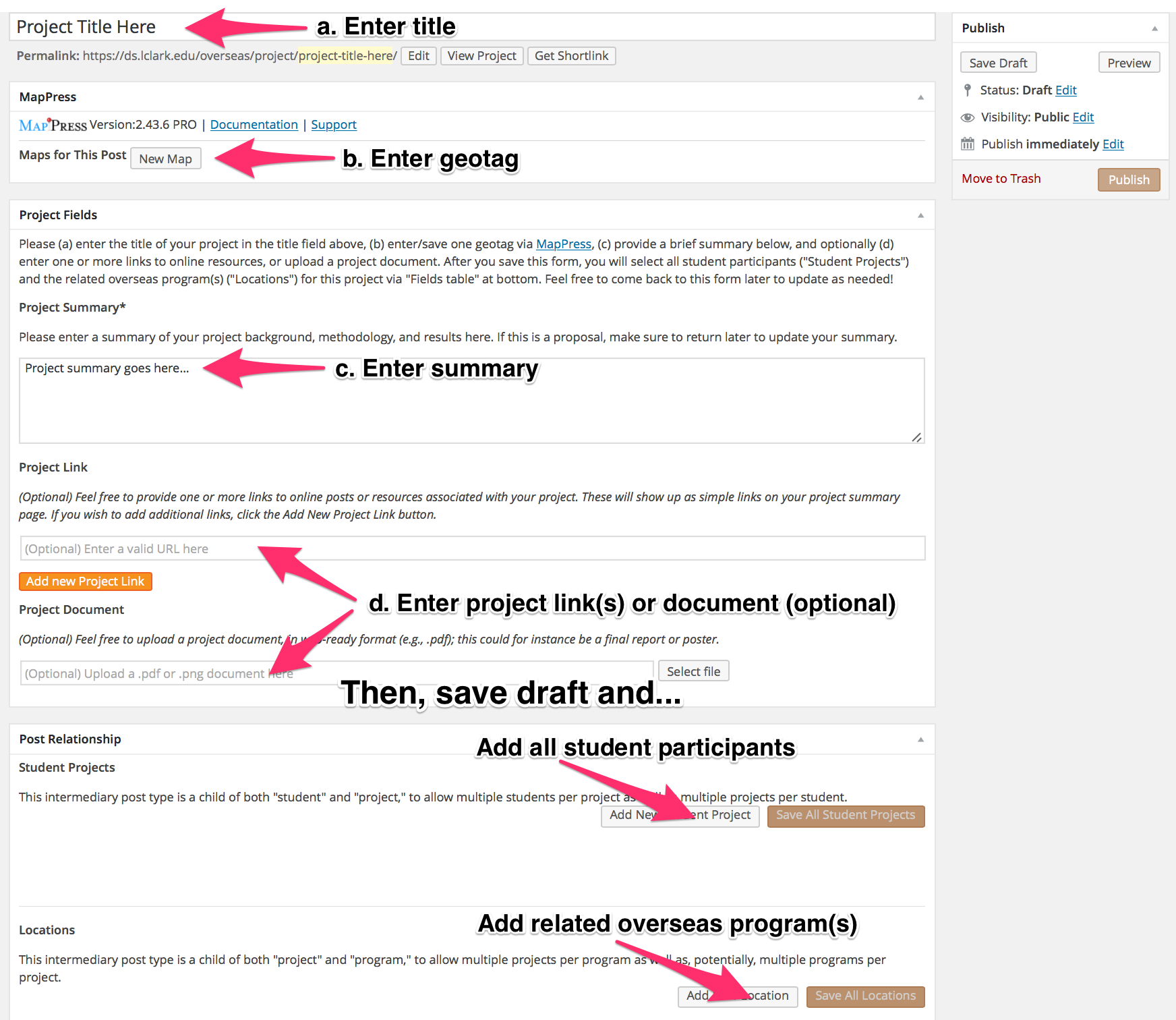
Click to display larger image
Student participants doing overseas projects can complete a project record to readily share their work.
It’s simple: (a) enter your title; (b) enter a geotag (so others can locate your project on the projects map; info on geotagging is here); (c) enter a brief summary of your project background, methodology, and results (if this is a proposal, make sure to return later to update); and optionally (d) enter one or more links to online posts or other resources, or to a final project document in web-ready (e.g., .pdf) format. You can always return and add/edit much of this info later.
When you’ve done the above, save your draft and you’ll see more boxes appear on the bottom of the form. Click “Add New Student Project” to add each student participant (type in the first few letters), and “Add New Location” to add the related overseas program(s). Then publish!
If you’ve done the above correctly, a link to your project will show up both on your overseas site page and your personal landing page, and a placemark will show up on the projects map.