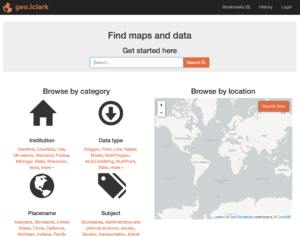
Lewis & Clark’s GeoBlacklight repository, geo.lclark.edu, is designed not only for you to find existing spatial data (see here), but to share new spatial data you have developed, such as the results of your fieldwork or a modified dataset you have produced using GIS. To do so, you’ll first upload your data, then complete an online form. Please read the below carefully to do these steps successfully.
Upload data
Start by uploading your data to a Lewis & Clark Google Drive folder (by “data” we mean one layer; if your project contains multiple layers, upload and document each separately). We will then copy your data to the ENVS Program’s geo.lclark.edu Google Drive folder. Here are some important considerations:
- Make sure your data are in the correct format: vector data need to be in shapefile format, and raster data in GeoTIFF format. (Note: if you have an alternate format for raster data and cannot save in GeoTIFF, contact ENVS.) If your data are not spatial data (e.g., a spreadsheet or a non-rectified image), you’ll need to convert to spatial data format prior to uploading.
- If you have vector data with multiple attributes (common), upload and share a table that describes each attribute. Your table should have the exact name of the attribute field, then a brief description of the data contained in that field.
- Create a new Google Drive folder, then upload relevant files into this folder. In the case of a shapefile, this means that you will upload a number of related files, all with the same prefix (e.g., myshapefile.shp; myshapefile.dbf; etc.). An easy way to do this is to compress (zip) all shapefiles together, then upload the zip archive into the folder. If you are sharing related documents (e.g., a PDF report based on the data, or a spreadsheet of data attributes), you may use this folder as well.
- Make sure your data folder is shared (View level access okay), so that ENVS can work with the data in this folder. You’ll be asked to provide the Google Drive folder UUID (everything after google.com/drive/folders/; it’s a big long string of alphanumeric characters, e.g., 0Bwg2zDB8_bVqaGxJbnBINzdMNDQ).
Complete form
After you upload your data, you will complete an online form to enter relevant metadata (data about your spatial data). The form asks you for a variety of technical, topical, and other properties of your data. Almost all fields are required; if you don’t have a good idea for any field please mention this or email ENVS. It’s a good idea to assemble the below information ahead of time so you can readily complete the form.
- Storage location: Enter the UUID for the Google Drive folder where your data are located.
- Title: Brief title for your spatial data, in Headline Style Capitalization.
- Author(s): List full names for everyone who played a significant role in authoring your data (e.g., those who collected the data and/or modified the data using GIS). If an organization played an important role related to the data, list its name and provide a URL to its website. If you need to clarify the role anyone played in authoring or publishing the data, feel free to provide details here.
- Description: Describe your data in approximately one full paragraph. It’s better to add more information here than less! More details will help users search successfully for your data.
- Subject(s): geo.lclark.edu uses Library of Congress subject headings to specify related topics; please enter up to a half dozen, separated by semicolons. A guide is here: enter a term (e.g., biodiversity) in the search box, then choose the most appropriate heading (e.g., Mountain biodiversity).Consider multiple dimensions, again to help people find your data. (Note: sometimes the Library of Congress guide takes time!)
- Format: Shapefile (vector data) or GeoTIFF (raster data). If vector data, specify point, line, or polygon geometry. Also if vector data, did you upload a spreadsheet table describing all attributes?
- Spatial reference system: The spatial (or coordinate) reference system describes information such as the datum and projection of your spatial data. This can get complicated, so a number of entities have created numerical identifiers to summarize the SRS/CRS: one is EPSG and another is found at spatialreference.org. The easiest thing to enter here would be an identifier number if you have it (e.g., EPSG 123456) or the information you see when you view layer properties in GIS (e.g., WGS 84–Geographic). Make sure to clarify why your data use this SRS/CRS, what reprojections you have done, etc. If you need help with this step, contact ENVS.
- Related resources: If you have uploaded related resources to your Google Drive (e.g., a PDF report building on the dataset, or a spreadsheet of data attributes), please list and briefly describe each.
- Access rights: You have two choices: “Restricted” will keep the data visible, but limit downloads to logged-in Lewis & Clark users; “Public” will make your data available to anyone who visits geo.lclark.edu. If you are unsure, choose Restricted.
- Start/end date: To which year or years do your data refer? If you have just collected these data, enter the current year; if they are historic data enter the correct year or years.
- Modification date: When did you last modify your data? This could involve adding or modifying attributes, modifying geometry, changing SRS/CRS, reprocessing, etc.
- Location(s): Briefly list one or more placenames applicable to your data. It’s okay to list more or less general placenames, to help people find your data.
- Language: Language the data (e.g., attributes) are written in. If no language-based data, enter English to cover these metadata.
Remember to submit this form once for each piece of spatial data (i.e., each layer) you are sharing! Yes, this takes time, but completing the form will help others find and use your spatial data.
What happens next?
The ENVS Program will receive notification when you’ve submitted your form. Here is what happens next:
- We will check to make you’ve uploaded your data and completed the form correctly; if not, we’ll alert you to what needs to be done.
- Then we’ll make a copy of your spatial data to the ENVS Program’s geo.lclark.edu Google Drive folder, and edit the UUID in your form accordingly.
- At this point, Watzek Digital Initiatives will take over with your spatial data and metadata. When they are all done, they’ll notify us, and we’ll notify you!
Thank you in advance for making your data available to others.