• Skip to content
  • Skip to primary sidebar

DS Training Site

Earn badges while building DS skills

Main navigation

  • What Are Badges?
  • DS User Level
    • User Skill #1: Doing Digital
    • User Skill #2: Profile
    • User Skill #3: Surf
    • User Skill #4: Post Basics
    • (Optional) User Skill #5: Post Extras
  • DS Admin Level
    • Admin Skill #1: Customize
    • Admin Skill #2: Content
    • Admin Skill #3: Menus
    • Admin Skill #4: Themes
    • Admin Skill #5: Widgets
    • Admin Skill #6: Plugins
    • (Optional) Admin Skill #7: Sharing
  • Display Your Badges
    • All Awarded Badges To Date

What Are Badges?

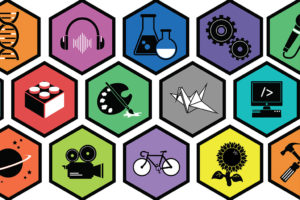
Sample badges (Pittsburg Sprout Fund)

Badges are digital proof of things you can do; you earn badges from a number of entities. On this site you’ll get training, and earn related badges, in using the WordPress-based ds.lclark.edu multisite. This will help you do better digital scholarship, and also convey important professional cred you can put on your resume or display online, given the significance of digital platforms and WordPress in today’s world.

There are two types of badges you can earn here:
    • Levels (100–200 points each): The most general type. The User Level badge is the first Level badge you’ll earn, to do great posts on DS; next, you can earn the Admin Level badge to help administer your own site! (In time we’ll add a Network Admin Level badge, to help you manage sites and train admins.)
Badge icon "Surfing (515)" provided by The Noun Project under The symbol is published under a Public Domain Mark

  • Skills (10–20 points each): These are the components of each Levels badge. The User Level badge includes four required (and one optional) Skills, and the Admin Level badge includes six required (and one optional) Skills. You’ll complete all related Skills, in a particular order, to earn a Level badge.

The DS multisite certifies its badges via Credly. You can use Credly to display your badges on your ds.lclark.edu website, your LinkedIn page, and other places. If you haven’t done so already, create a Credly account right now (don’t just sign up via Facebook or LinkedIn), making sure to use your LC email address. And do read up on how to display these badges!…you want to get credit for what you will learn here.

Ready to get started? Make sure you are logged in (required to earn all badges), then head over the DS User Level!


Primary Sidebar

Get Badges

  • DS User Level
  • DS Admin Level

My Recent Badges (Logged In Only)

You must be logged in to view earned achievements

DS Badges: Top 25 to Date

User NamePointsLevelsSkills
1Alexander Groher-Jick501212
2Morgan Fries501212
3Jon Hosch501212
4Kiaora Motson501212
5Mamelang Memela501212
6Nicole Godbout501212
7Evan Howell481211
8Jacob Riedal481211
9Juliana Prendergast481211
10Sabrina Cerquera481211
11Aidan Mackie471211
12Isabelle Russenberger471211
13Sophie Henry471211
14Tasha Addington-Ferris470211
15Heather Shaw468210
16Thea Crowley461210
17Alannah Balfour461210
18Ben Carsner461210
19Curtis Hall461210
20Emma Hay461210
21Henry Chapman461210
22Jade Murphy461210
23Jack Kamysz461210
24Jesse McDermott-Hughes461210
25Jordan McLuckie461210

Digital Scholarship Multisite © 2018 · Lewis & Clark College · Log in